Scopri le basi delle pulegge GT2 per cinghie dentate: come scegliere tra le tre modalità di flangia (pulley / idler / none), selezionare numero di denti, larghezza della cinghia e diametro del foro, oltre ai consigli per la stampa 3D. La guida si concentra sulla configurazione standard 20T / 6 mm / 5 mm utilizzata con motori NEMA17 e sistemi CoreXY.
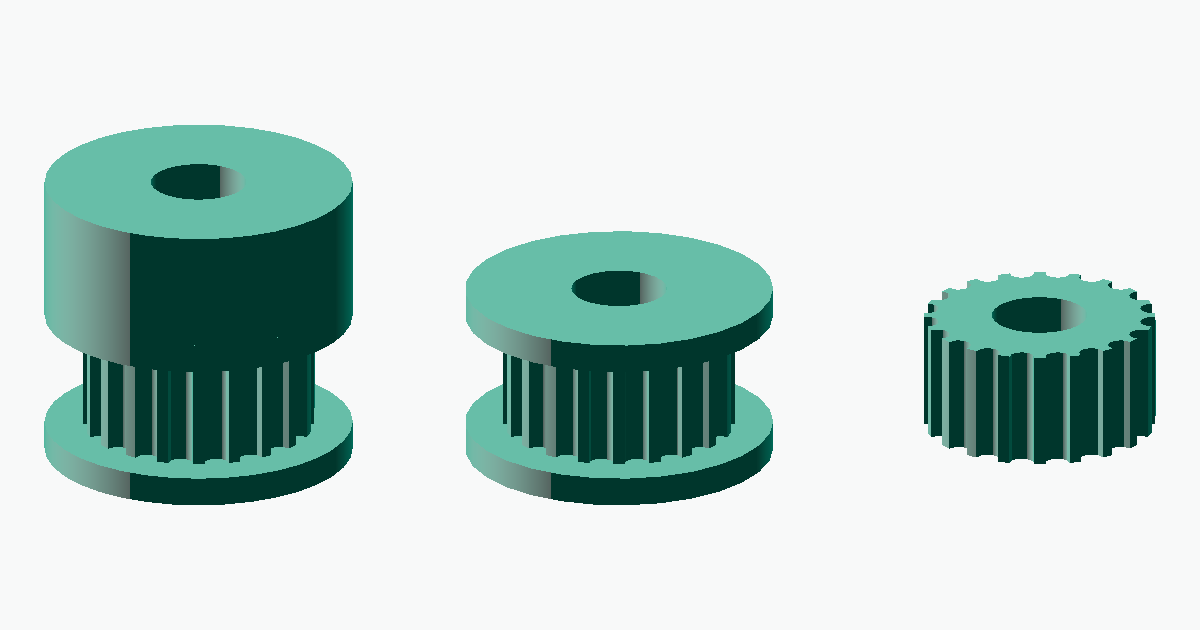
Guida alle pulegge GT2: denti, larghezza cinghia e modalità flangia
GT2 pulleys (timing pulleys) are toothed-belt pulleys with a 2 mm pitch widely used in 3D printers and robotics. The most common configuration is 20 teeth (20T), a 6 mm belt width, and a 5 mm bore, paired with NEMA17 stepper motors as the drive shaft of CoreXY and Cartesian mechanisms. This guide explains the basic structure of GT2 pulleys generated with meta-matic, how to choose between the three flange modes pulley / idler / none, how to select the number of teeth and belt width, and what to watch out for when 3D printing them.
What is a GT2 pulley?
GT2 is a toothed-belt standard that originated in the PowerGrip series from Gates Corporation, and is now widely used including aftermarket compatibles. It adopts a curvilinear (circular-arc) tooth profile rather than a trapezoidal one, making it well suited to low-noise, low-backlash, high-precision positioning. Related variants such as GT1.5 (1.5 mm pitch) and GT3 (3.0 mm pitch) also exist.
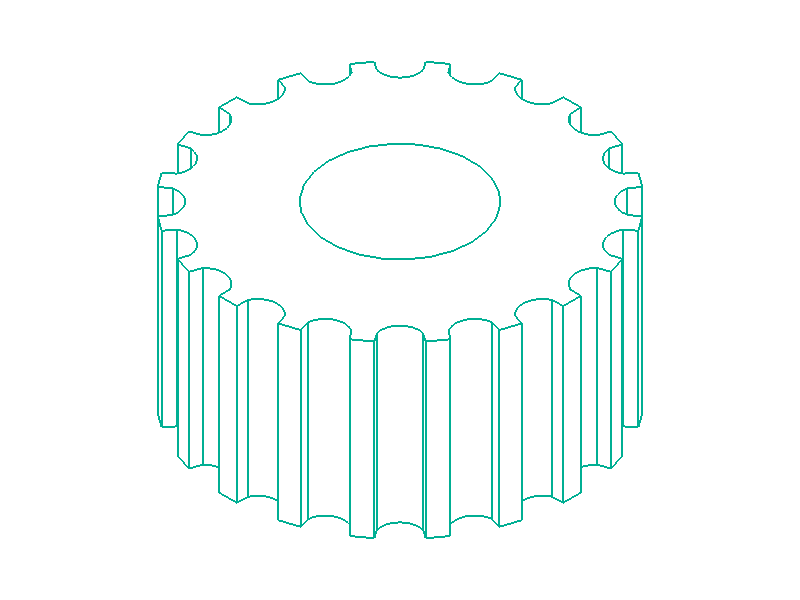
The meta-matic GT2 pulley generator carries these standard values internally as fixed parameters; you only need to specify four items: number of teeth / belt width / bore diameter / flange mode.

Choosing between the three flange modes
The GT2 pulley generator lets you pick one of three modes based on the combination of flanges (the side rims) and an extended hub. Pick the shape that best fits your application.
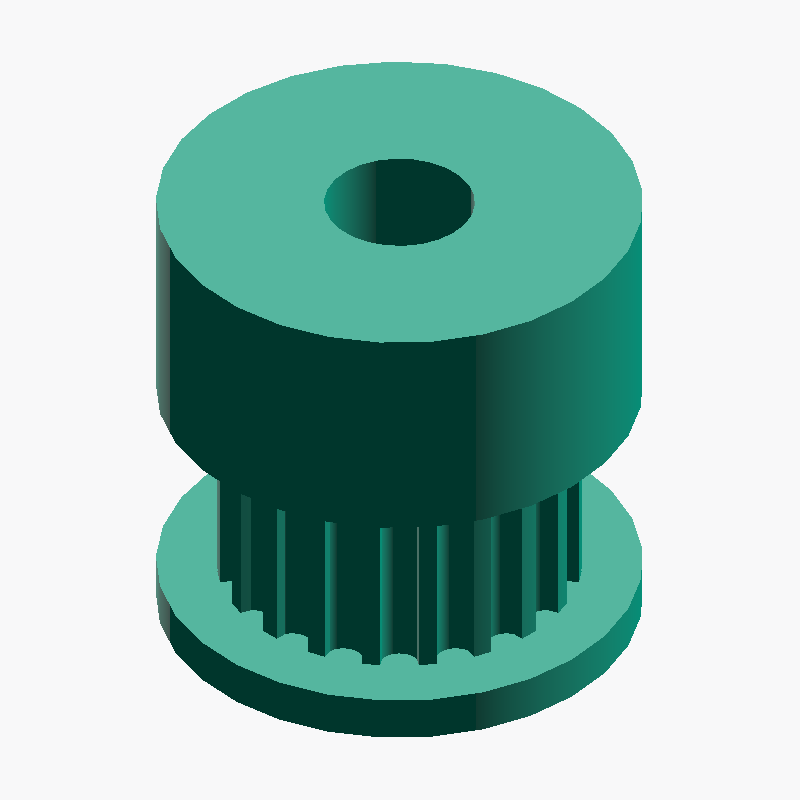
pulley — with an extended hub
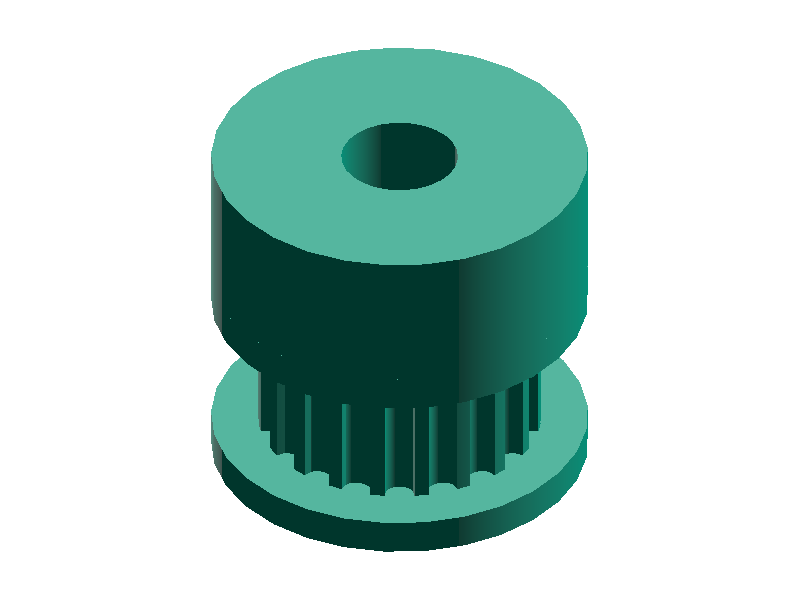
- Use case : Drive pulleys mounted directly on a motor shaft, or whenever set-screw fixation is required
- Pros : The hub provides a surface for set screws (grub screws) and increases the contact area with the shaft
- Additional parameters : The diameter and width of the hub can be freely specified
idler — toothed idler (for tension, flanged on both sides)
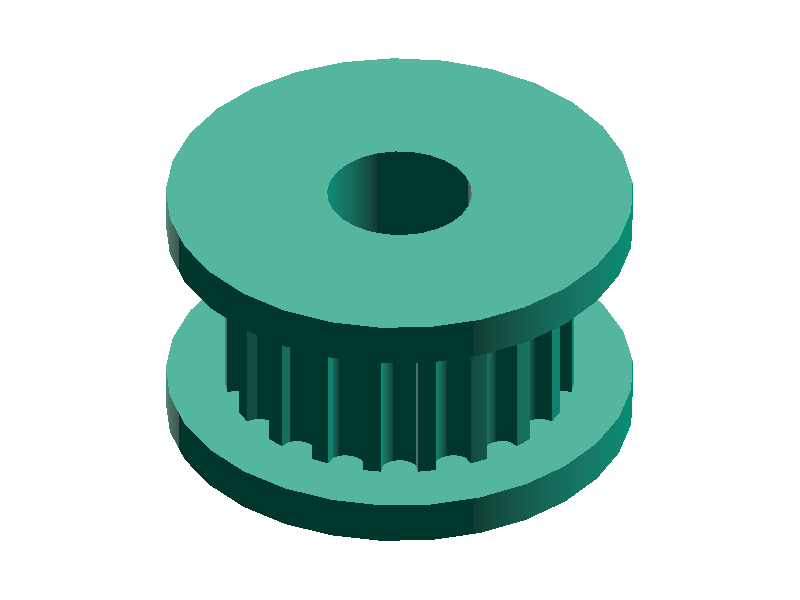
- Use case : When used as a tension pulley or guide pulley
- Pros : Keeps the belt from drifting axially. Makes belt routing easier during assembly
- Caution : In practical use, press-fitting a bearing into the bore is recommended
none — no flange
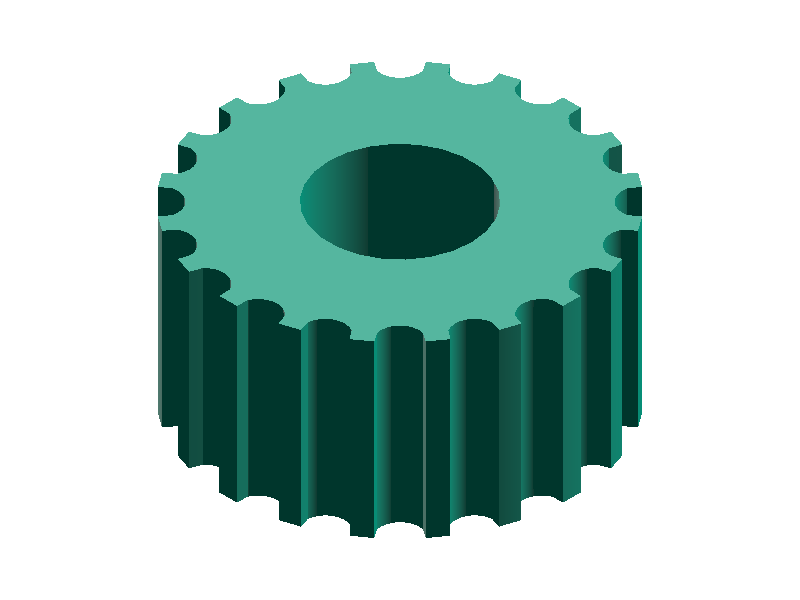
- Use case : When designing custom shapes or printing the pulley in split parts
- Pros : Unlike the other modes there are no overhangs, so it prints cleanly without supports
- Caution : A separate physical mechanism is needed to keep the belt from drifting axially
pulley for drive shafts such as motor shafts and for driven shafts that transmit power, idler for belt-tension adjustment and guiding, and none when designing complex shapes from scratch.Parameter selection guide
How to choose the number of teeth
The number of teeth can be specified in the range of 16 to 120. Fewer teeth gives a more compact pulley suited for high-speed motion, while more teeth gives a larger diameter that provides greater belt engagement.
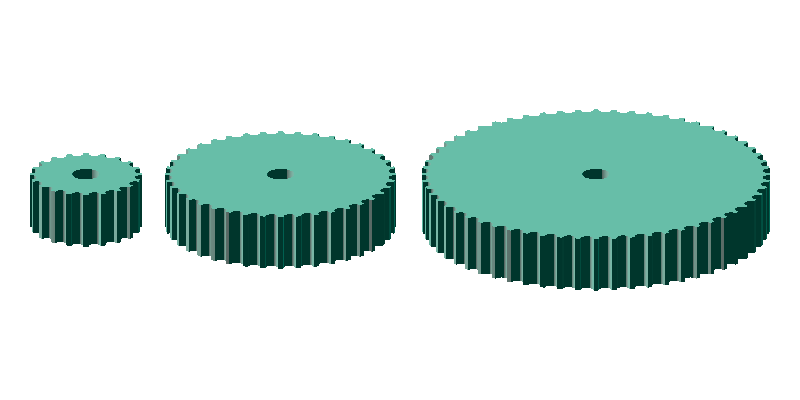
- 16–20 teeth (16T–20T) : Ideal for direct-drive motor shafts; off-the-shelf aluminum pulleys are widely available
- 30–40 teeth (30T–40T) : Often used in reduction stages or intermediate pulleys
- 60+ teeth (60T and above) : Used for high-torque applications or final-stage driven pulleys, though commercial products are scarce
Travel per pulley revolution (basics of steps/mm calculation)
steps/mm = (motor steps per revolution × microsteps) ÷ (pulley teeth × belt pitch)
Since GT2 belts have a 2 mm pitch, the travel per pulley revolution can be calculated as "number of teeth × 2 mm". You need this value when configuring 3D printer firmware.
| Teeth | Travel per revolution | Typical use |
|---|---|---|
| 16T | 32 mm | Compact mechanisms, direct-drive motor shafts (where compactness is the priority) |
| 20T | 40 mm | Standard for 3D printers (widely adopted in Voron / Ender families) |
| 40T | 80 mm | Reduction stages, driven side for high-torque applications |
The 20T GT2 pulley is the most widely used in 3D printers. With 40 mm of travel per revolution, the steps/mm calculation combined with a stepper motor’s step angle works out cleanly, which is why 20T GT2 pulleys are widely adopted in Voron and Ender-family 3D printers.
How to choose the belt width
The belt width can be specified in the range of 3.0–20.0 mm. Commercial GT2 belts typically come in 6mm / 9mm / 15mm widths; match the pulley’s belt width to the belt you plan to use. Commercial pulleys are designed slightly wider than the belt itself.
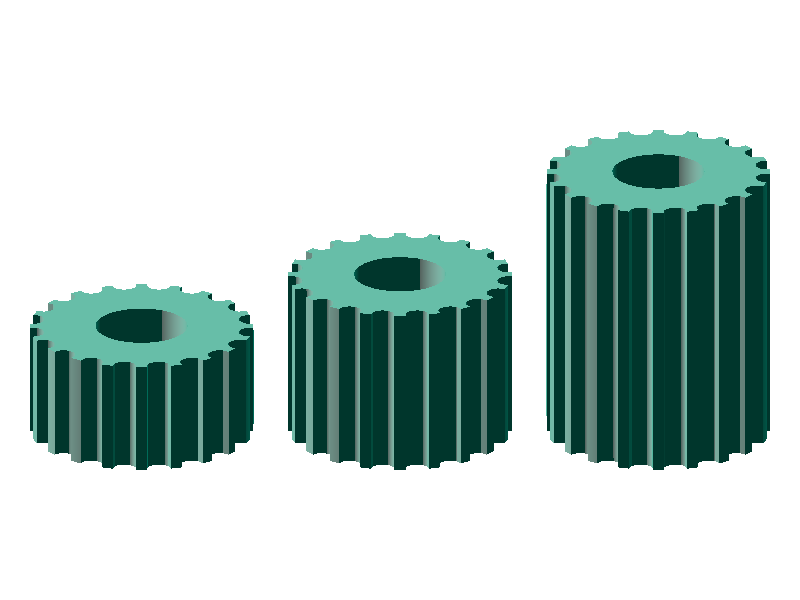
- 6 mm wide : Widely adopted in 3D printer and small-robot designs
- 9 mm wide : High-load segments in mid-size robots and CoreXY mechanisms
- 15 mm wide : High-torque applications and CNC machine feed axes
How to choose the bore diameter
The bore diameter can be specified from 0 to 100 mm; specifying 0 generates a GT2 pulley with no bore. The basic rule is to match the motor shaft diameter, but you may design +0.1 to 0.2 mm larger to compensate for shrinkage during 3D printing.
- 5 mm bore : Standard shaft diameter for NEMA17 steppers
- 6.35 mm bore : 1/4-inch shaft (some RC and industrial motors)
- 8 mm bore : NEMA23 and larger steppers
0 and then perform post-processing in CAD software such as Fusion 360 or FreeCAD.Hub (`pulley` mode only)
In pulley mode you can specify the diameter and width of the hub. Setting the hub diameter to auto sizes it to match the flange diameter automatically. For set-screw designs, specifying a hub diameter about 10 mm larger than the shaft together with a hub width of 10–20 mm gives a stable result.
How to generate a GT2 pulley
The meta-matic GT2 pulley generator lets you download a STEP file instantly just by entering parameters in your browser.
Check the motor shaft diameter and belt width
Verify the shaft diameter of the motor you will use (e.g.,5mmfor NEMA17) and the width of the GT2 belt you will pair with it (the default7mmis 1 mm wider than a 6 mm belt).Decide on the flange mode
Choosepulleyfor the drive side,idlerfor the tensioner / idler side, andnoneif you are designing a complex pulley shape from scratch.Decide on the number of teeth
Work backward from the desired reduction ratio or the torque you need. The gear ratio calculator lets you confirm the reduction ratio from the tooth-count ratio of the drive and driven pulleys.Generate and download with the generator
Enter the values above and click "Download STEP File"; the STEP file will be downloaded automatically. To inspect the shape first, click "Preview STEP Model" to view the 3D model and then download it manually.Open in CAD software to verify
Open the file in Fusion 360 / SolidWorks / FreeCAD etc., and verify dimensions and mesh engagement within your assembly.
3D printing tips
Because GT2 pulleys have small, fine teeth, 3D printing settings matter. A layer height of 0.16 mm or smaller, a nozzle diameter of 0.4 mm or smaller, and slower print speeds near the tooth tips help produce accurate tooth profiles.
- Material : PLA or ABS work well; PETG or Nylon are recommended for higher loads
- Print orientation : Align the pulley axis with the Z axis (vertical placement) so the tooth profile is perpendicular to the layer direction, giving better accuracy
- Supports : Generally not needed, but if the upper flange collapses due to overhang, splitting the print works well
- Shrinkage allowance : Specify the bore
+0.1–0.2 mmlarger and finish it with a reamer after printing for a reliable fit
Frequently asked questions
QAre "GT2" and "2GT" the same thing?
QHow do GT2, MXL, and T2.5 differ?
2.032mm) and T2.5 (pitch 2.5mm) are not compatible with GT2. The tooth profiles also differ, so be sure to match the belt and pulley to the same standard. GT2 uses a curvilinear tooth profile that delivers high accuracy and low backlash, which is why it is widely used in 3D printer and CNC parts.QDo the teeth have a front/back orientation?
QHow do I calculate the distance between two pulleys?
QShould I choose 16T or 20T?
QAre 3D-printed pulleys practical?
Related resources
For those who want to dive deeper, here are related tools and reference materials.
- GT2 center-distance calculator — Automatically computes the center distance from the belt length you intend to use
- Gear ratio calculator — Automatically computes the reduction ratio when selecting tooth counts
- PowerGrip® GT belts — Explanation of tooth-profile features, allowable torque, and positioning accuracy
- 📐 Calcolatore distanza tra centri pulegge GT2 Calcola la distanza tra i centri delle pulegge GT2 dalla lunghezza della cinghia
- 📏 Calcolatore passi/mm motore passo-passo Calcola passi/mm e distanza percorsa dall'angolo di passo, microstepping e tipo di trasmissione
- ➰ Calcolatore lunghezza e distanza tra centri di cinghie trapezoidali Calcola designazione consigliata, distanza effettiva tra i centri, angolo di avvolgimento e velocità della cinghia trapezoidale da tipo e diametri primitivi delle pulegge